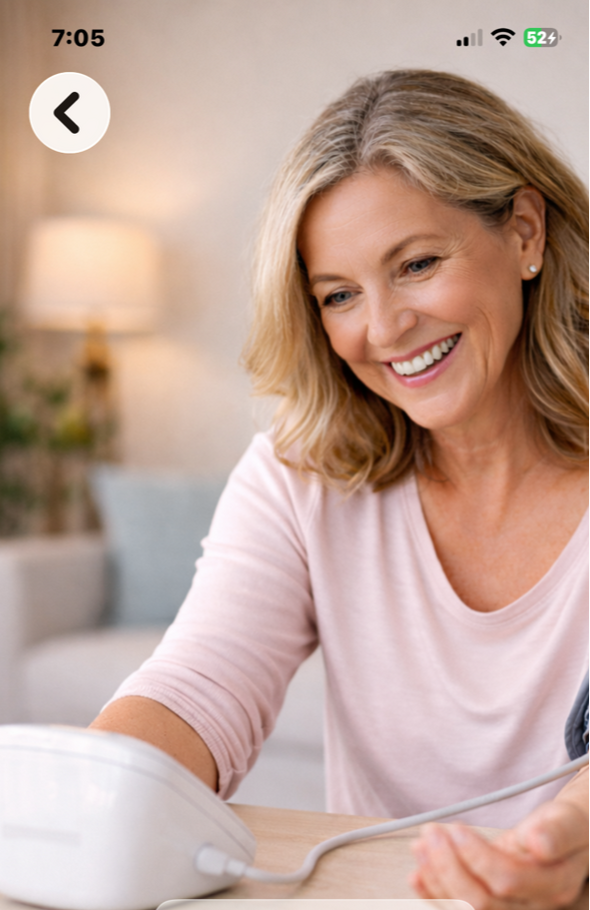
Thanks for downloading Bobbi's BP. Below you will find answers to some of the questions that you might have about the app.
FAQs
What is Bobbi's BP? Bobbi’s BP is a personal, easy to use blood pressure tracker that helps you log readings, monitor trends, and share information with your healthcare provider. (It DOES NOT measure blood pressure). Do I need an account to use the app? Yes. Create an account from the Login screen. You’ll set your email, password, and optionally a provider email. How do I create an account? Tap “Create Account” on the Login screen, fill in your details, and tap “Create Account.” You can add your provider’s email address if you’d like to reference it later. I forgot my password — what should I do? Tap “Forgot Password” on the Login screen to generate a local reset code, then follow the prompts to set a new password.
Logging Readings
How do I log a new blood pressure reading? From Home, tap “Log Blood Pressure.” Enter systolic, diastolic, and heart rate values, then save. What do systolic and diastolic mean? Systolic is the top number (pressure when your heart beats). Diastolic is the bottom number (pressure between beats). Can I edit or delete a reading? Yes. In “Your Readings,” swipe a reading to delete. Editing may be limited; if supported, tap the reading to modify. How often should I measure my blood pressure? Follow your provider’s guidance. Many people measure once in the morning and evening, or as recommended.
View History & Trends
Where can I see my past readings? Tap “Your Readings” from Home to view a list of previous entries. Does the app show trends or charts? Yes. You can view charts for systolic, diastolic, and heart rate over 7 or 30 days to spot patterns. Can I export or share my data? Yes. Use the PDF preview or share features (if available) to export recent readings.
Accuracy and Best Practices How do I take accurate readings? Sit comfortably with your back supported, feet flat on the floor, and your arm at heart level. Rest 5 minutes before measuring. Avoid caffeine or exercise right before. Can this app diagnose medical conditions? No. The app is for information and tracking only. It does not provide medical advice or diagnosis. Always consult your healthcare provider. My readings seem inconsistent — what should I do? Take multiple readings at the same time of day for several days, then show the results to your provider.
Account and Settings How do I change my password? Use the “Forgot Password” flow or a dedicated change-password option in Settings (if available). Where can I see my provider email? Open “Settings” to view or update your saved provider email. How do I log out? From Home, tap “Log Out,” then confirm.
Privacy and Data Where is my data stored? Your account information and blood pressure entries are stored locally on your device. If you choose to share/export data, those actions happen only when you initiate them. Does the app collect personal data? The app stores your account and readings locally. See the app’s Privacy section for details about data usage and any optional analytics or logging. Is my data shared with third parties? Not without your action or consent. If you use sharing features, you decide when and how to share.
Technical and Troubleshooting The app won’t log me in. What can I try? Check your email format and password. If needed, use “Forgot Password” to reset. Confirm you have an internet connection if required for authentication. I can’t see my recent readings. Try closing and reopening the app. Verify you’re logged in to the correct account. If issues persist, contact support. The app crashed or is slow — how do I report it? Note what you were doing and any error messages, then contact support through the app or the support URL.
About and Legal What version of the app am I using? Check “About” in the app to see the current version and build number.
Is there a medical disclaimer? Yes. The app includes a medical disclaimer. It is not a substitute for professional medical advice, diagnosis, or treatment.
Where can I read the Terms and Privacy Policy? Links are available in the “About” or “Settings” sections of the app.
Tips for Better Tracking • Be consistent: Measure at the same times each day. • Record context: Note if you had caffeine, exercise, or stress before measuring. • Use trends: Look at 7-day or 30-day trends to see the bigger picture. • Share when needed: Email or bring your readings to your provider appointments